Work From Home (WFH) Setup Checklist: Home Office Saman List
Create a complete home office setup list for your professional work from home needs with all essential furniture, tech accessories, and connectivity items in one place. This smart WFH checklist includes ergonomic chairs, laptop tables, wireless mouse & keyboard combos, router UPS for power backup, desk organizers, notebooks, and healthy office snacks. Perfect for remote workers, freelancers, and students looking to build a high-productivity home workspace.
How to Use This List?
• Create your personalized list by selecting the items you need. • Use the available filters to quickly find items that match your requirements. • Adjust quantities, units, and preferred brands whenever available. • Review and update your list anytime to avoid missing important items. • Easily share your list with family members, colleagues, or shopkeepers. • You can also explore helpful tips, FAQs, and related lists available below on this page.
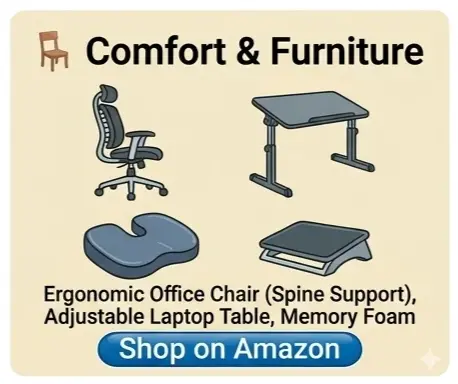
🪑 Comfort & Furniture
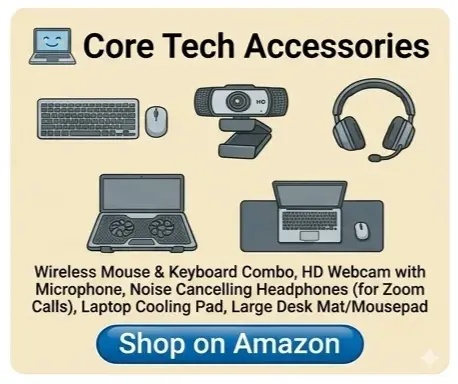
💻 Core Tech Accessories
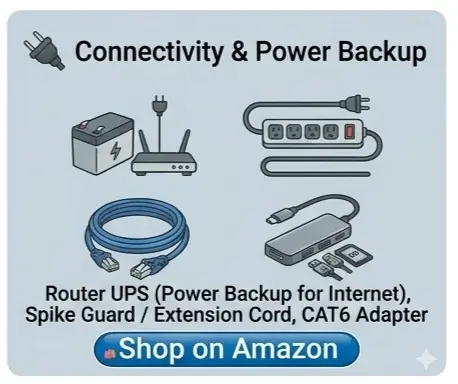
🔌 Connectivity & Power Backup
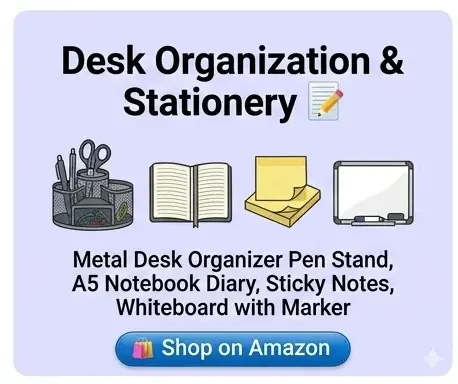
📝 Desk Organization & Stationery
☕ Refreshments & Wellness

😊 आपको यह लिस्ट कैसी लगी?
क्या इस लिस्ट से आपको अपनी तैयारी में कुछ मदद मिली?
⭐ Explore More Lists Related to This
🛍️ Grocery Planning
🏠 Home Setup & Living Spaces
🎉 Festival & Event Planning
🏠 Home Construction & Renovation
👨👩👧 Family & Lifestyle
🛠️ Gardening & DIY Tools
📚 Education & Students
✈️ Travel & Lifestyle
🚗 Car & Bike Care
🐾 Pet Care & Animal Essentials
🧓 Senior Citizen Care
🎥 Digital Content Creation
✨ Personal Care & Grooming
👞 Shoe & Leather Care
🎁 Gift Ideas
🏋️ fitnessPlanning
💍 Wedding Saman & Checklist
Frequently Asked Questions
What are the most essential WFH setup items for an Indian home?
The most essential items for an Indian home office are a spine-supporting ergonomic chair, an adjustable laptop table, a reliable router UPS to handle frequent power cuts, and a noise-cancelling headset for clear video calls.
How can I set up a budget-friendly home office in India?
You can start by picking core comfort items like a laptop cooling stand or memory foam cushion for your existing chair, an affordable wireless combo, and an extension spike guard to manage your multiple chargers easily.
Why is a Router UPS included in this WFH checklist?
A Router UPS is included because sudden power cuts are common in many parts of India. It provides continuous power backup to your Wi-Fi router for up to 4 hours, ensuring your Zoom or Teams calls do not drop.
Can I share this custom home office list with my company or vendor?
Yes, you can easily customize this WFH checklist on our website and share it with your office HR for reimbursement, or send it directly to local electronics and furniture vendors via WhatsApp.
Does this list contain desk management and wellness items?
Yes, this checklist goes beyond tech gadgets to include practical desk organizers, sticky notes, whiteboards, thermal water bottles, and light snacks like roasted makhana to keep you productive and healthy through long shifts.
Is this home office setup list optimized for high productivity?
Yes, this specific daily-use office layout helps minimize physical fatigue, resolves connectivity interruptions, and keeps your desk items systematically structured, boosting your remote work efficiency significantly.
How do I prevent laptop heating issues during intense Indian summers?
Laptops tend to overheat quickly during the summer, which can throttle performance and slow down your work. To prevent this, make sure to add a Multi-Fan Laptop Cooling Pad to your checklist to keep device temperatures normal.
What is the best solution to block out typical household and street background noise?
Background noise from family conversations or street traffic is common in Indian households. To maintain a professional environment during meetings, include an Active Noise Cancellation (ANC) headset or a headphone with Environmental Noise Cancellation (ENC) microphones on your list.
Can the items on this list be used to claim corporate WFH allowances?
Absolutely! You can select and customize the specific items that qualify under your company's WFH allowance or reimbursement policy—such as ergonomic chairs, router UPS systems, or wireless peripherals—and export the list for HR approval.
What type of workspace design works best for a small room or limited space?
If you are short on space, look for smart space-saving items like a Foldable Laptop Table or a Wall-Mounted Desk. These allow you to set up quickly in the morning and fold the workspace away entirely once your shift is over.
How do I protect expensive laptops and monitors from frequent voltage fluctuations?
Voltage spikes and drops can cause severe damage to sensitive electronics. You should always include an ISO-certified Surge Protector Spike Guard in your tech setup to safeguard your laptop, external monitors, and chargers from unexpected power fluctuations.